

Email, but pleasant.
A Mac mail app for Gmail and Microsoft 365. It has lightning-fast search across all your accounts, keeps your mail on your Mac, and works with your Claude.
Or $6 a month · Full refund within 30 days
 Pigeon · Inbox21 messages
A pretend mailbox, so you can have a go.
A great mail app.
That also works with Claude.
Pigeon is a beautiful Mac app for humans writing to humans. When you want a hand, it gives Claude the controls.
A great mail app
Quick to read in, quick to reply from, and it finds anything.
↓ The mail appWorks with Claude
Ask Claude for a reply. The draft opens in Pigeon.
↓ ClaudeStays on your Mac
No Pigeon servers. Nothing of yours for us to see.
↓ PrivacyGmail and Microsoft 365
Work and personal, in one inbox.
↓ AccountsThe things you do all day, done properly.
Fast search, quick replies, tidy attachments and shortcuts galore.
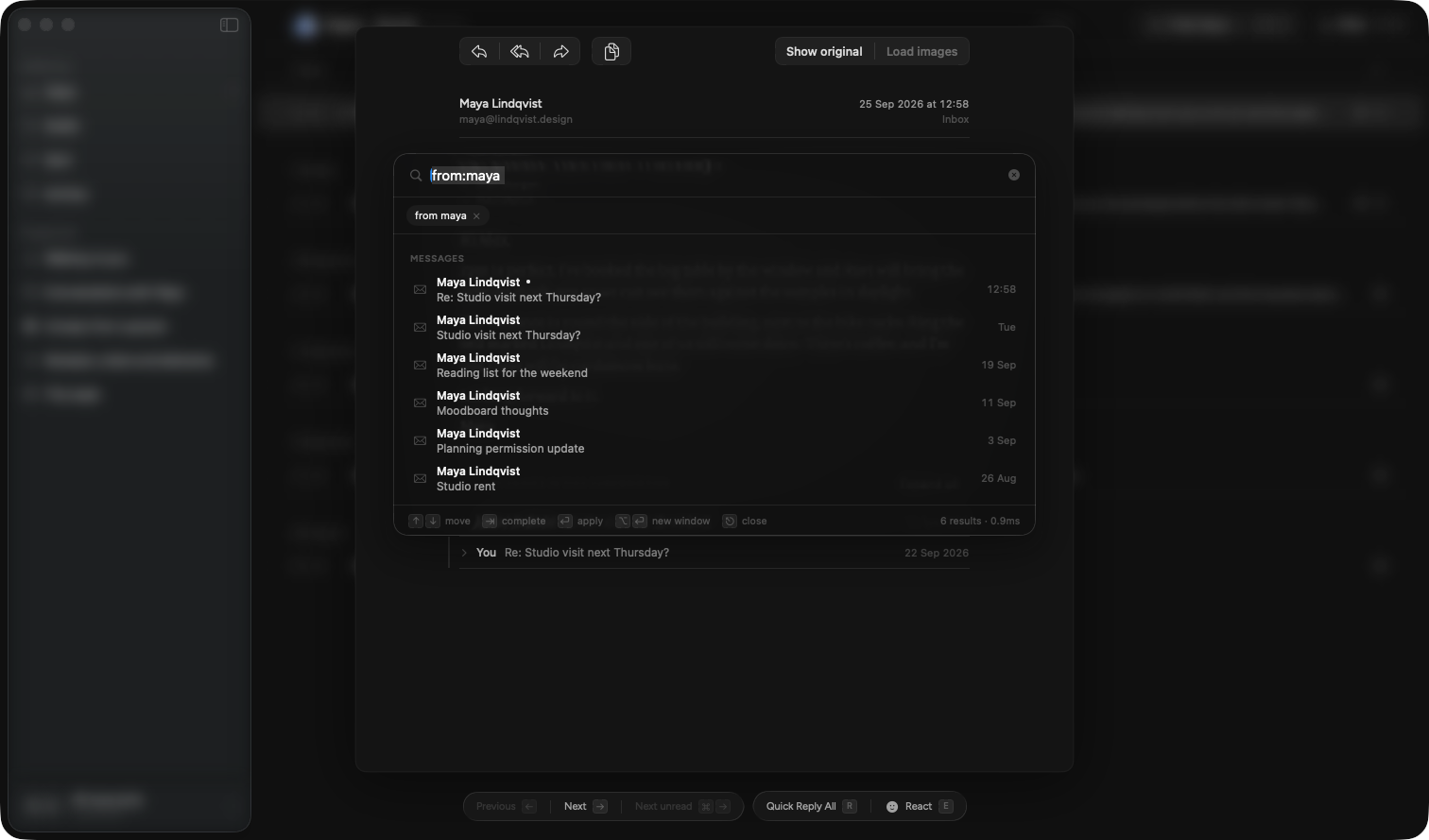
Find it the way you remember it.
Type a name, a rough date or what it was about. Results show up as you type, however many years of mail you've got.
53 ms across 254,307 emails, on one Mac. Never deleted an email in your life? Perfect.
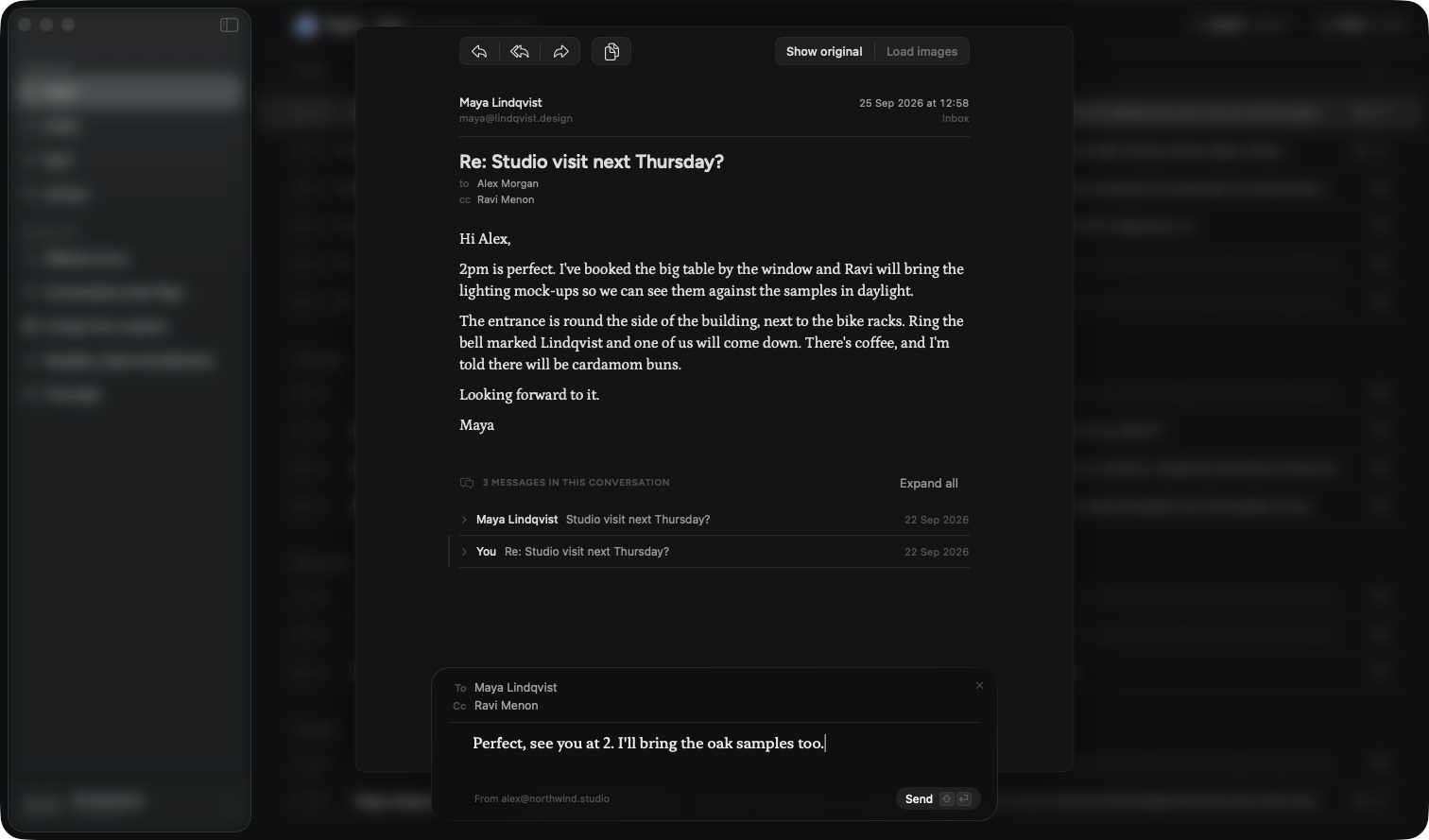
Reply without opening a window.
Press R and a small reply box opens under the email. Type, press ⇧↩, done. Or press E and send a 👍 in place of another "Thanks!" email.
In Gmail, a 👍 shows up as a reaction, not an email.
Every file, searchable.
Every PDF, document and photo you've opened is kept in one place. Search the words inside, even on a scanned letter, and jump straight to the email it came with.
A key for everything.
Nineteen shortcuts and counting. Usually the letter you'd guess.
And the small stuff, done properly.
- Calendar invites you can read at a glance · answer in one click
- Saved searches in the sidebar · ⌘D
- Four inbox shelves · Primary, Transactions, Updates, Promotions
- Blur subjects before you share your screen
- Signatures that look right in Outlook too
- Light and dark, and it follows your Mac
- New mail coos · six real pigeons to choose from
- A glass pigeon in the corner · point at it and it takes off
Pigeon has no AI.
It works with yours.
Other mail apps are building an assistant into the inbox. Pigeon plugs your inbox into the Claude you already use.
How Pigeon works with Claude
- 1
Click Install.
It's in Pigeon's settings. That's the whole setup.
- 2
Ask in normal words.
"Reply to Maya, Thursday works." Claude reads the thread first, so it knows what Thursday is.
- 3
The draft opens in Pigeon.
With the right people, the subject and the thread filled in. Change what you like, then press send.
 Claude, with Pigeon's toolsPigeon connected
14 toolsreadyfrom:maya "pitch deck"2 emailsPitch deck, second draftdoneHow Alex writesdoneIt writes like you. Not like a LinkedIn post.
Pigeon picks examples from emails you've actually sent, and Claude turns them into a short guide to how you write. You can read it, argue with it and fix it. Keep a stiffer one for work.
- Opens with "Hi" and a first name.
- Says what they want in the first line.
- Short paragraphs, the odd list.
- Signs off "Speak soon," then "Alex".
Find
Search your mail, find a person, pick the right account.
Read
Read an email or the whole conversation, and open it in Pigeon.
Write
New emails and replies, as drafts in Pigeon.
Sound like you
Build, edit and pick your tone guides.
For the technically curious: a local MCP plugin with fourteen tools. None of them can send mail.
Your mail stays on your Mac.
Pigeon brings your mail straight from Google or Microsoft to your Mac. There's no Pigeon server in the middle, so there's nothing of yours for us to read, lose or leak.
 Gmail
Gmail Microsoft 365
 Your Mac
No Pigeon servers
We don't have anywhere to put your mail.
Search works offline
On a plane, on a train, in a tunnel with one bar.
Tracking pixels blocked
Senders can't see when you opened their email. Load images for one message when you want them.
Claude sees only what it looks up
Just the emails it needs for your question, in that conversation. Pigeon never uploads your mailbox.
Gmail and Microsoft 365, in one flock.
Connect your personal Gmail and your work account. They share one inbox and one search, and every reply goes out from the right address with the right signature.
Coming from Apple Mail?
Pigeon works the way Mail does, with your mail on your own Mac. It just finds things.
Still true
- A native Mac app
- Your mail on your Mac
- Banners and a count on the Dock
New
- Search that finds what you meant
- Quick replies and reactions
- Claude, drafting in your voice
Gmail, Google Workspace and Microsoft 365 for now. iCloud, Yahoo and IMAP aren't supported yet.
One price. The whole bird.
- Every feature, every account
- The Claude plugin and tone of voice
- Every update while you subscribe
Not for you? Email us within 30 days for a full refund. No questions.
Why no free trial?
Pigeon's first job is fetching your whole mailbox, which takes half an hour or more. A trial that starts with a progress bar is really a screensaver. So use it properly for a month, and if it hasn't earned its perch, you get your money back.
Before you buy.
Do I need Claude?
Only for the Claude features. Everything else in Pigeon works on its own.
Is there AI inside Pigeon?
Not the kind that writes. Search uses a small model that runs on your Mac to match what you meant. It never sends anything anywhere.
Which Macs?
Any Mac running macOS 26 or later.
How long does the first sync take?
About half an hour for 80,000 Gmail emails. Microsoft 365 is slower. Put the kettle on.
What happens if I cancel?
Pigeon stops fetching new mail. Everything it already has stays on your Mac, and you can still search it.
Is there an iPhone app?
Not yet. The pigeons are in training.
Release the pigeon.
$49 a year, every feature, and your money back within 30 days.
macOS 26 or later · Cancel any time